Changelog
What’s new in Shopify
Flow: Preview workflows safely with test runs
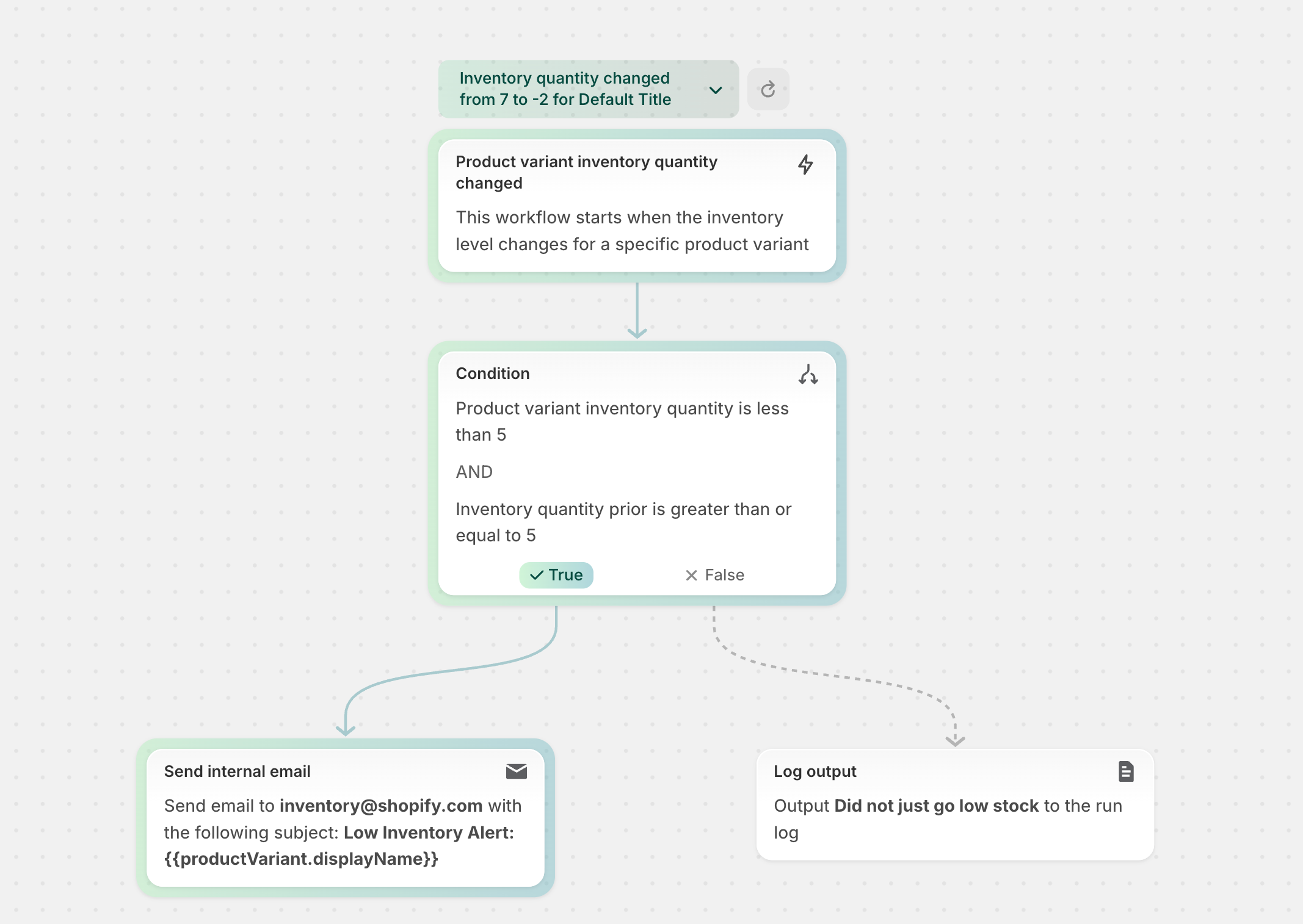
Today we’re introducing test runs in Shopify Flow — a safe way to see exactly how a workflow will behave before you activate it. Start a test directly in the editor by choosing an event from your shop and watch how your workflow evaluates in context.
With test runs, you can spot issues fast.
You can review the exact path your workflow would take through branches and for each loops:
You can inspect your shop’s real data, by previewing the output of your Conditions, Liquid code, and Run code steps:
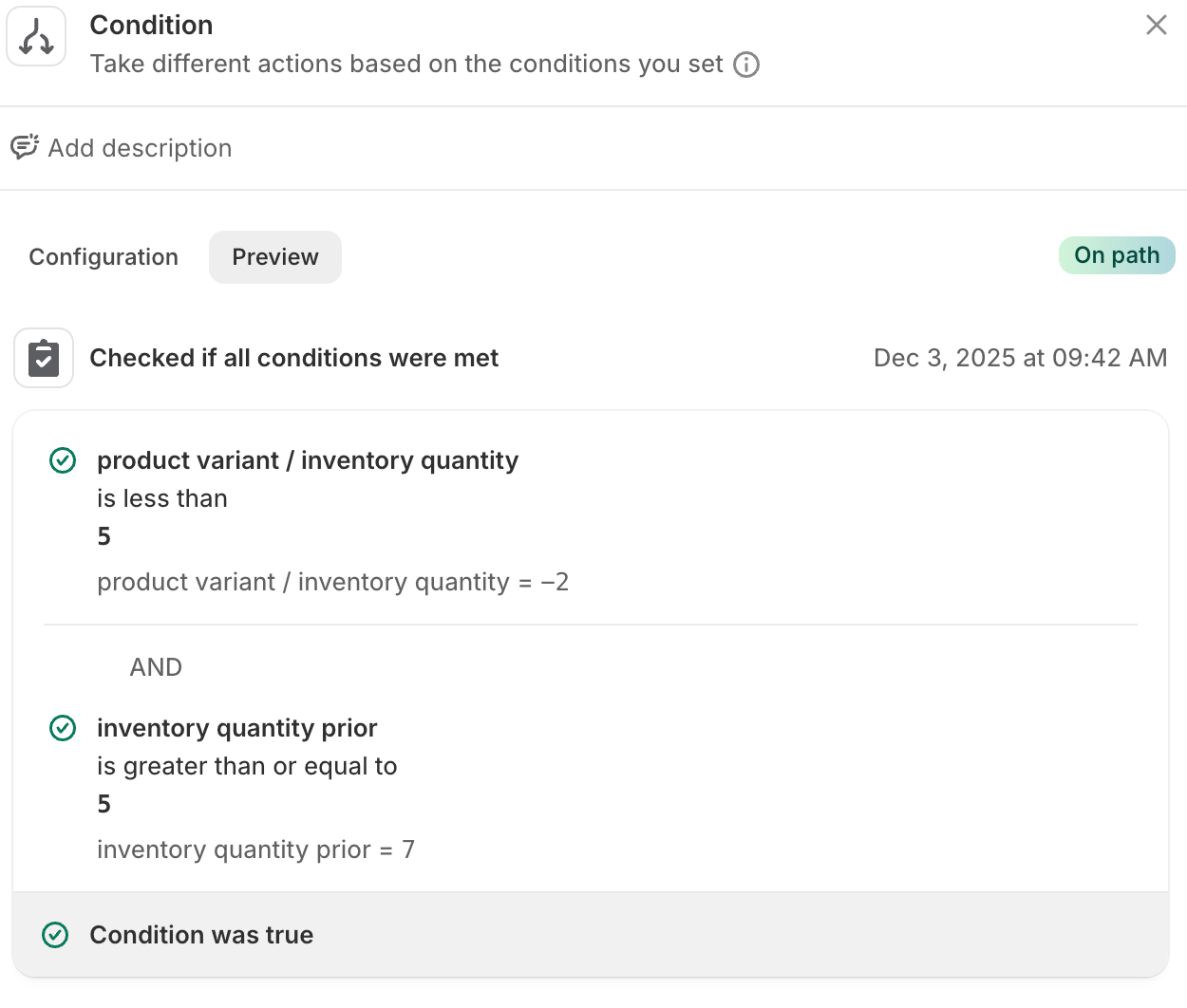
Running a test is quick (about 10 seconds) and isolated from your live store. Actions that change something outside the workflow run, such as Add order tags or Send Internal Email, will not run. Instead, the test will show you the output of any Liquid code in the steps. Other actions that only change data for the workflow, like Run code, Count, and Sum will run and display their output.
Learn more about testing workflows in the Shopify Help Center and discover automation best practices in our Flow testing guide.
For more information, visit the documentation. For questions and feedback, visit the Shopify community.